 Aseven
Case Study
Contract & Field Work Management System
In one workflow, a contract is opened, materials move, field work is verified, and the billing package is generated without anyone assembling it again. Unit staff and vendors use the same system and see the same status.
- Industry
- Utilities
- Implementation
- Custom Software

The problem to solve
Contracts, materials, field work and billing documents were handled in many places at once. Finishing a single billing package meant getting the same documents signed by many people. The volume of paperwork was hard enough, and the distance between the work in the field and the desks where it was approved made it worse.
To put the package together, vendors had to keep coming back to the company’s office to see each PIC in person, just to get a signature.
That kind of setup makes work stall at the most basic step: waiting for the right person to be in the right place. Moving forms onto a screen would not have fixed it. Every party needed to see one shared work status, read from the same system.
Why this approach
We chose Custom Software because the workflow, the unit structure and the format of the official documents had no good match in off-the-shelf products. The system records transactions, and it also manages how budget planning, contracts, the warehouse, field work, K3 (occupational health and safety) documents and the digital signature queue connect to each other.

Dynamic forms, layered document statuses, signer roles that can change, and an Android app for field work were better built as one purpose-made system. That way the unusual parts could be designed around the process, instead of bending the process to fit a product’s limits.
What we built
The system brings the daily work of unit staff and vendors into one workflow.
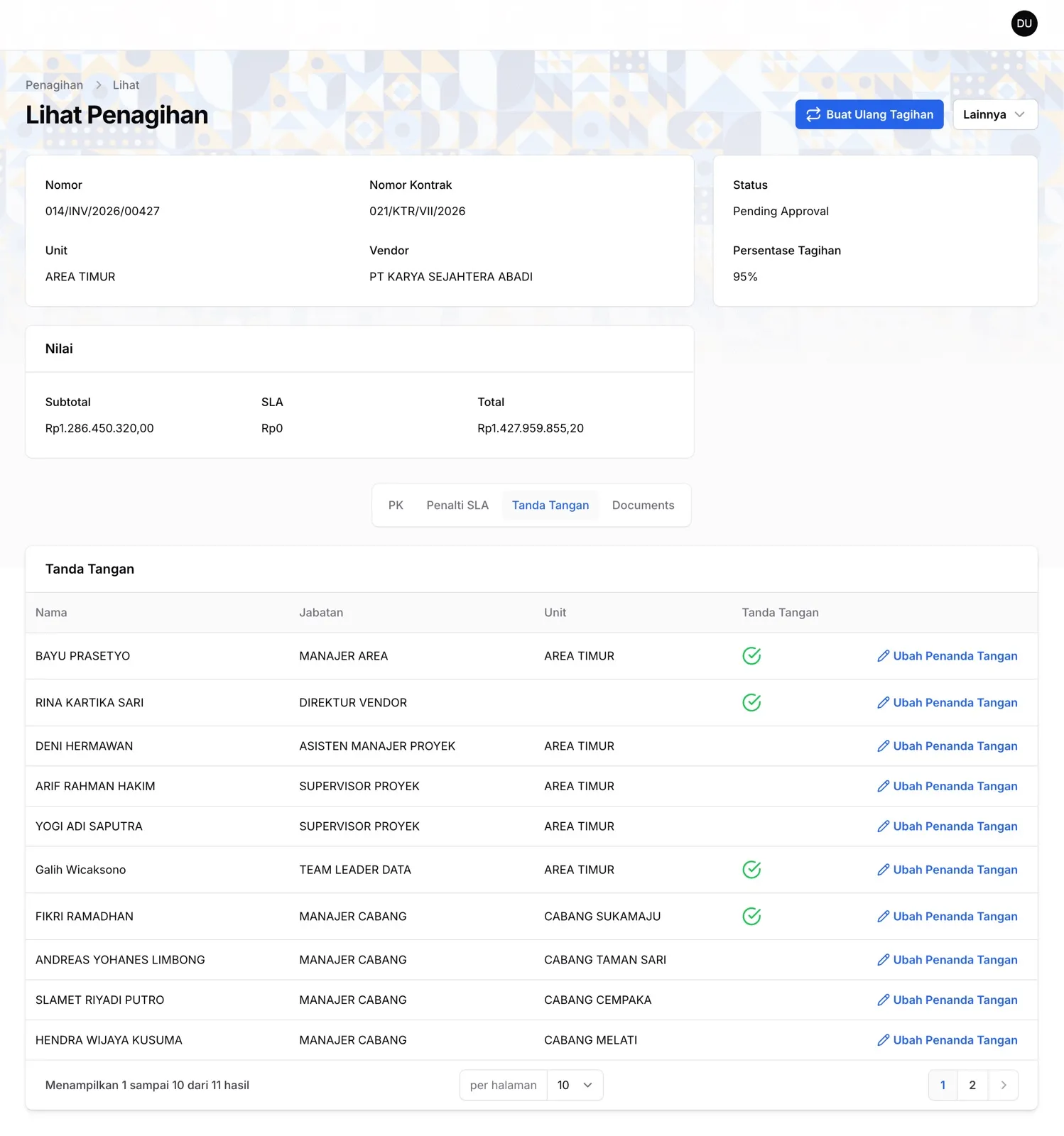
- The billing package is generated automatically when an invoice is submitted: up to 23 types of official documents at once, with supporting documents and a signature queue matched to each role.
- Digital signatures run in sequence, with phone notifications, the option to reject with a reason, and a way to swap signers when needed.
- Installation reports from the field include photos and GPS coordinates, and unit officers verify them item by item.
- K3 documents are prepared before work starts, using templates the unit manages and a multi-level approval flow.
- Materials sent to vendors and materials returned from the field are both recorded, so the status of the work and the inventory can be read in one place.
- Unit staff and vendors see the same status in the same system, with no separate notes to reconcile.
The impact
Vendors no longer travel back and forth to the office to chase signatures. Approval requests go through the system and phone notifications, so work keeps moving from wherever each person is.
Different people no longer assemble the billing package piece by piece. Once the invoice is submitted, its supporting documents follow the same flow and come together as one complete package.
Field work is no longer reported by word of mouth. Photos and coordinates go in when the work is logged, and unit officers verify them directly.
Everyone now works in one shared system and reads the same status, and follow-up no longer depends on notes scattered across many places.
Facing a similar problem?
If you're weighing whether your business is better served by custom software, Odoo ERP or a combination of the two, we can help you map out the approach.